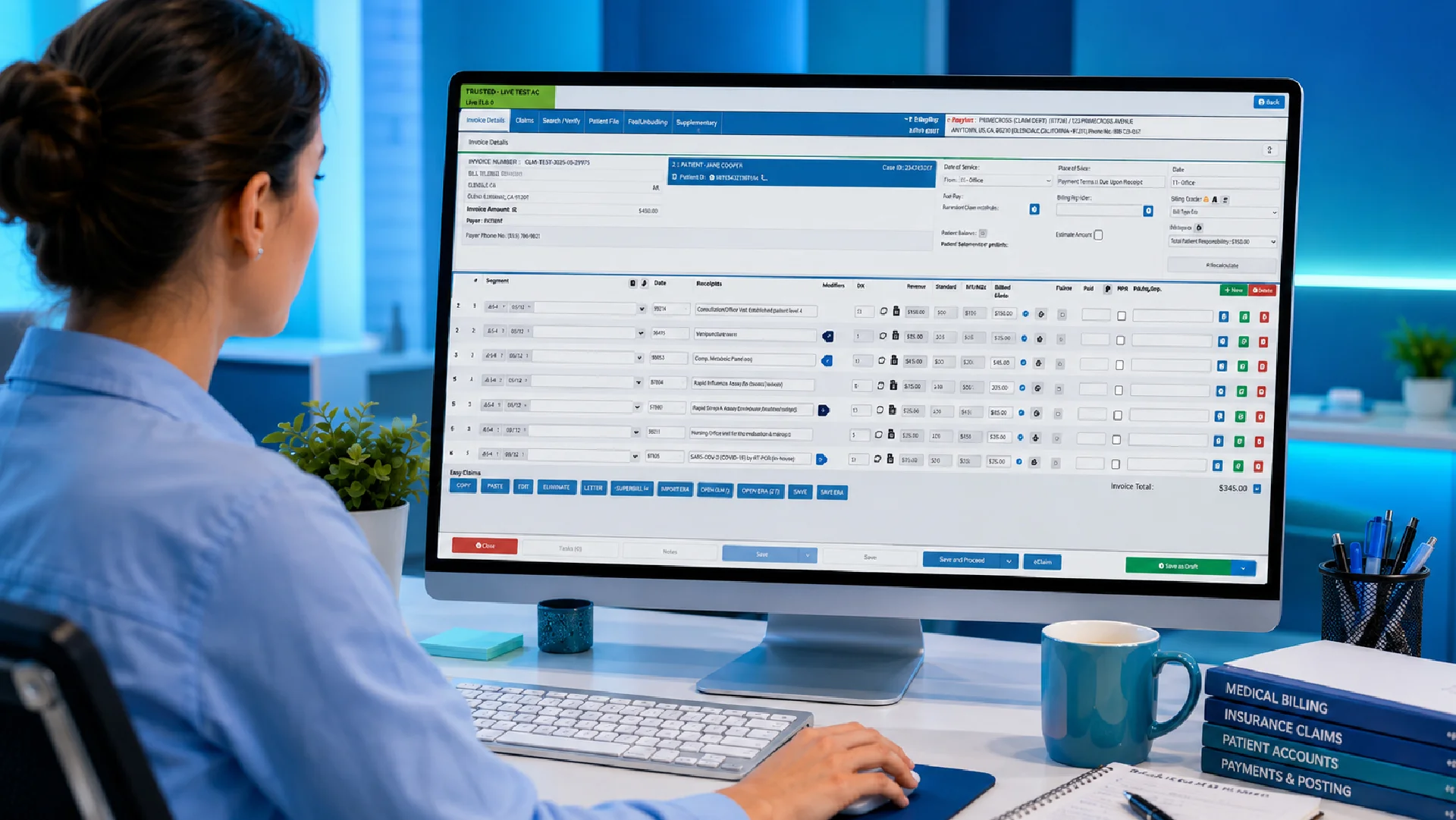
Insurance Medical Billing Software: How to Choose the Right Solution
At a glance
Managing medical billing in the United States is rarely as simple as sending an invoice and waiting for payment. U.S. healthcare practices may need to manage insurance eligibility, patient accounts, claims, remittance advice, denied claims, copayments, deductibles, coinsurance and outstanding balances while keeping administrative work under control.
This is where insurance medical billing software can make a practical difference.
The right software can connect the financial side of a practice with the information captured throughout the patient journey. Instead of relying on manual processes and disconnected systems, practices can manage more of their billing workflow from one place.
A suitable solution should help practices:
- Capture accurate patient and billing information
- Manage insurance and payer details
- Verify insurance eligibility
- Prepare, submit and track claims
- Identify potential billing issues
- Manage rejected or denied claims
- Record payments and adjustments
- Manage copayments, deductibles and coinsurance
- Monitor outstanding patient balances
- Reduce repetitive administrative work
- Improve visibility into practice finances
- Connect billing with broader practice management workflows
But choosing the right system is not simply about finding the platform with the longest list of features.
The best insurance medical billing software is the one that fits the way your practice actually works.
What is insurance medical billing software?
Insurance medical billing software is designed to help healthcare practices manage the financial processes associated with submitting claims to health insurance companies and managing patient accounts.
It brings together information from different stages of the patient and billing journey, helping practices move from a completed appointment or procedure to claim submission, payment and reconciliation.
For a U.S. medical practice, this may involve managing information such as:
- Patient demographics
- Insurance information
- Member and policy details
- Subscriber information
- Provider information
- Services provided
- Diagnosis and procedure codes
- Claim information
- Electronic remittance advice (ERA)
- Payments and adjustments
- Patient responsibility
- Outstanding balances
- Account history
Without a connected system, staff may have to enter the same information more than once or switch between different platforms to complete routine tasks.
That is where billing software becomes more than an accounting tool. It can form part of the practice’s wider revenue cycle and practice-management workflow.
Why medical billing deserves more attention
Billing sits at the centre of a practice’s financial health.
A practice can provide excellent patient care, maintain a busy appointment schedule and still experience financial pressure if claims are delayed, denied or not followed up effectively.
Consider a typical scenario.
A patient attends an appointment. The visit is completed and the relevant information is captured. The practice then needs to submit a claim to the patient’s insurance payer and wait for it to be processed.
If the claim contains incorrect information or requires additional attention, the process may stop.
Someone then needs to:
- Identify the problem.
- Investigate the account.
- Correct the information.
- Resubmit or follow up.
- Monitor the outcome.
- Reconcile the eventual payment.
- Determine whether a remaining patient balance exists.
That may seem manageable for one claim.
Multiply it across hundreds or thousands of patient accounts, and the administrative workload becomes significant.
Good billing software helps practices create a more consistent process so that fewer tasks depend on manual intervention.
What should insurance medical billing software actually do?
A common mistake when choosing software is to focus on individual features rather than the entire billing workflow.
A practice may find a system that handles claims very well but offers limited reporting. Another may provide excellent reporting but require extensive manual data entry.
Instead, consider how the different parts of the system work together.
A strong billing workflow should support the journey from:
Patient information → appointment → eligibility → documentation → coding → claim → payment → reconciliation → patient balance
The more connected those steps are, the easier it becomes for staff to understand what has happened and what needs to happen next.
1. Accurate patient and insurance information
Every claim starts with information.
If patient or insurance details are incorrect, problems can appear later in the billing process.
Your billing software should make it easy to maintain relevant information and keep it connected to the patient’s account.
This can include:
- Patient demographics
- Insurance payer information
- Member ID
- Group numbers
- Subscriber information
- Dependent information
- Provider information
- Account history
- Billing records
- Patient responsibility
Reducing unnecessary duplicate data entry is important because every additional manual step creates another opportunity for an error.
2. Insurance eligibility verification
Insurance eligibility is an important part of the U.S. revenue cycle.
A patient’s coverage can change, an insurance policy can expire, or information provided during registration may no longer be accurate.
Finding out about an insurance problem after a claim has already been submitted can create unnecessary administrative work.
Depending on the software and payer connectivity available, billing platforms may help practices verify information before or around the time of an appointment.
Look for software that can help your practice:
- Check insurance eligibility
- Identify inactive coverage
- Confirm patient insurance information
- Identify potential coverage issues
- Maintain current payer information
- Reduce manual eligibility checks
The earlier a potential issue is identified, the easier it can be to address.
3. Efficient claim processing
Claims are a central part of medical billing in the United States.
The software you choose should make the claim process straightforward, from capturing the services provided through to submitting and monitoring the claim.
Look for a system that can help your practice:
- Prepare claims efficiently
- Support applicable medical coding workflows
- Validate relevant information
- Submit electronic claims through supported channels
- Identify rejected claims
- Track claim status
- Correct billing issues
- Resubmit claims where appropriate
- Maintain a clear claim history
The goal is not simply to submit more claims.
It is to create a process where claims can move through the revenue cycle with as little unnecessary intervention as possible.
4. Visibility when claims do not go according to plan
No billing system can guarantee that every claim will be paid without an issue.
What matters is what happens when something goes wrong.
A useful system should make it easier to identify accounts that require attention rather than forcing staff to search through individual records.
For example, billing teams may need to distinguish between:
- Claims awaiting adjudication
- Rejected claims
- Denied claims
- Claims requiring correction
- Partially paid claims
- Claims awaiting additional information
- Outstanding patient balances
- Accounts requiring follow-up
This visibility helps staff prioritise their workload.
Instead of spending time searching for problems, they can focus on resolving them.
5. Payment and reconciliation
Submitting a claim is only one part of the revenue cycle.
Once an insurance payment is received, the practice needs to know which account it belongs to, what was paid, what adjustments were made and whether there is still an outstanding patient balance.
A billing system should therefore support payment and reconciliation processes as part of the broader workflow.
This can help practices maintain clearer records of:
- Insurance payments
- Patient payments
- Adjustments
- Contractual adjustments
- Copayments
- Deductibles
- Coinsurance
- Outstanding amounts
- Patient balances
- Account histories
- Unresolved transactions
When payment information is properly connected to the original claim and patient account, practices have a clearer view of their financial position.
6. Managing patient responsibility
Insurance does not necessarily cover the entire cost of a healthcare service.
Depending on the patient’s plan and the service provided, the patient may have responsibility for:
- Copayments
- Deductibles
- Coinsurance
- Non-covered services
- Outstanding balances
Billing software should make these amounts easy for staff to identify and manage.
Clear patient statements can also make it easier for patients to understand what they owe and why.
This is particularly important because billing confusion can create additional work for front-desk staff and billing teams.
The more clearly the software presents the account, the easier it becomes to communicate with patients about their financial responsibility.
7. Managing denied and rejected claims
Claim denials can have a direct impact on practice cash flow.
A denied claim may require staff to investigate the reason, correct information, submit an appeal or resubmit the claim.
Without good visibility, these accounts can remain unresolved.
Insurance medical billing software should help practices identify and manage claims that require attention.
Useful functionality may include:
- Denial tracking
- Rejection management
- Claim-status visibility
- Correction workflows
- Resubmission support
- Appeal tracking
- Denial reporting
- Payer-specific trends
The objective isn’t simply to record that a claim was denied.
The software should help your team understand what happened and what needs to happen next.
8. Reporting that helps you manage the practice
Billing data should do more than sit in a database.
It should help you understand how the practice is performing.
Depending on the system, useful reports may cover:
- Claims
- Payments
- Denials
- Outstanding accounts
- Patient balances
- Insurance activity
- Revenue
- Accounts receivable
- Days in accounts receivable
- Collection trends
- Payer activity
- Billing productivity
The value of reporting is not simply having more numbers.
It is being able to identify patterns.
For example, if a particular payer is regularly associated with certain denials, the practice can investigate why.
If accounts receivable is increasing, management can examine where payment delays are occurring.
That turns billing information into something the practice can actually use.
9. Integration with your practice management and EHR systems
One of the most important considerations when choosing insurance medical billing software is how well it works with the rest of your practice.
Billing should not exist in isolation.
Patient information, appointments, clinical documentation, coding and financial information are all connected.
If these processes sit in separate systems, staff may have to copy information between platforms.
That creates additional work and increases the possibility of inconsistent records.
An integrated environment can reduce these handoffs and give staff a more complete view of the patient and account.
When evaluating software, ask whether it integrates with your:
- EHR
- Practice management system
- Clearinghouse
- Scheduling software
- Patient registration system
- Payment processing system
- Patient communication tools
Integration becomes particularly important as a practice grows.
What works with a small number of claims can become difficult to manage when billing volume increases.
10. Security and HIPAA considerations
Medical billing involves sensitive patient and financial information.
Security should therefore be part of the software decision from the beginning.
When evaluating a system, ask about:
- User access controls
- Data protection
- Audit logs
- Authentication
- Encryption
- Backups
- User permissions
- Security monitoring
- Incident response
- Business Associate Agreements where applicable
Your practice should also understand which security responsibilities belong to the software vendor and which remain with the practice.
A billing platform should support the practice’s broader responsibilities around privacy, security and responsible management of protected health information.
How to choose the right insurance medical billing software
Once you understand what the software needs to do, the next question is how to compare different solutions.
Rather than starting with price, start with your current workflow.
Step 1: Identify your biggest billing problems
Before speaking to software providers, look at where your current process is struggling.
Are staff spending too much time:
- Capturing patient information?
- Verifying insurance eligibility?
- Preparing claims?
- Checking claim statuses?
- Following up on denied claims?
- Posting payments?
- Reconciling accounts?
- Managing patient balances?
- Moving information between systems?
- Creating reports manually?
These problems should form the basis of your software requirements.
Step 2: Consider the size and structure of your practice
A small independent medical practice may have very different requirements from a multi-provider organization, specialty group or larger healthcare organization.
Think about:
- Number of providers
- Number of patient accounts
- Claim volume
- Number of users
- Number of locations
- Current EHR and practice management software
- Administrative staffing
- Billing complexity
- Expected future growth
Choose a solution that can handle your current needs while giving you room to grow.
Step 3: Evaluate the complete workflow
Ask vendors to demonstrate the software using a realistic patient journey.
For example:
A patient schedules an appointment → insurance information is captured → eligibility is checked → the visit takes place → services are documented and coded → a claim is prepared → the claim is submitted → the payer processes the claim → payment is received → the account is reconciled → any remaining patient balance is managed.
Then ask:
What happens if something goes wrong?
What happens if the patient’s insurance is inactive?
What happens if the claim is rejected?
What happens if the payer denies the claim?
What happens if only part of the claim is paid?
What happens if there is still a patient balance?
Those questions can reveal much more about a billing platform than a standard product demonstration.
Standalone billing software vs an integrated solution
There are situations where standalone billing software may make sense.
A practice might want to improve one particular part of its existing process without changing the rest of its technology.
However, standalone software can also create additional handoffs.
If staff have to move information between the EHR, practice management software and billing platform, some of the benefits of automation can disappear.
An integrated solution takes a broader approach.
Instead of treating billing as a separate activity, it connects it to the rest of the practice workflow.
For practices looking to simplify administration over the long term, that can be an important distinction.
Why automation matters in medical billing
Automation does not mean removing people from the billing process.
It means reducing the amount of repetitive work that people have to perform.
For example, software can help with activities such as:
- Reusing information already stored in the patient record
- Insurance eligibility verification
- Claim preparation
- Claim submission
- Claim-status tracking
- Payment posting
- Identifying exceptions
- Tracking outstanding accounts
- Generating reports
- Organizing billing information
- Patient billing communications
This allows staff to spend more time on activities where human judgment is important.
The result can be a billing process that is more consistent without making the practice dependent on additional manual administration as it grows.
What questions should you ask a billing software provider?
Before committing to a solution, ask practical questions rather than relying solely on a feature list.
Does it support the insurance payers your practice works with?
The answer should be clear before implementation.
Does it support electronic claims?
Ask which clearinghouses and claim formats are supported and whether additional fees apply.
How does it handle rejected and denied claims?
Ask the provider to demonstrate the workflow rather than simply describing it.
Can it verify insurance eligibility?
Find out whether eligibility verification is integrated, automated or dependent on separate tools.
Can it integrate with our EHR and practice management system?
Find out what information can move between systems and whether integration requires additional development or services.
What reporting is available?
Ask to see actual reports and dashboards rather than relying on screenshots.
How does it manage patient responsibility?
Ask how the system handles copayments, deductibles, coinsurance and outstanding balances.
How easy is it for staff to learn?
Request a demonstration using realistic workflows.
How is protected health information protected?
Understand the provider’s approach to security, permissions, backups, encryption and HIPAA-related responsibilities.
What happens as the practice grows?
The software should be able to support increased patient and billing volumes without creating unnecessary complexity.
What support is available?
Consider onboarding, training, technical support and ongoing assistance.
The cost of choosing the wrong billing software
Software costs are easy to compare.
Operational costs are harder to see.
A cheaper system may appear attractive until staff discover that they need to:
- Enter information twice
- Export and import data
- Check insurance manually
- Track claims outside the system
- Create spreadsheets
- Follow up on denied claims manually
- Reconcile payments separately
- Generate reports manually
Those processes consume staff time.
The opposite is also true.
A more comprehensive platform may have a higher upfront cost but reduce manual administration and give the practice better visibility over its revenue cycle.
The right question is therefore not:
“Which billing software costs the least?”
It is:
“Which solution provides the best value for the way our practice operates?”
Why an integrated approach matters for U.S. practices
For U.S. healthcare practices, billing is part of a much larger administrative picture.
Patient management, clinical workflows, insurance, claims and financial processes all need to work together.
An integrated healthcare management platform can help practices connect these workflows rather than treating billing as an isolated task.
For practices evaluating insurance medical billing software, this integrated approach is worth considering.
The objective is not simply to process claims.
It is to make the overall practice workflow easier to manage.
Making the move to better billing software
Changing billing software is a significant decision, particularly for an established practice.
Before making the move, document your current process.
Identify:
- Where patient and insurance information is captured.
- Where eligibility is checked.
- Where clinical information enters the billing workflow.
- Where claims are created.
- Where claims are submitted.
- Where denials and rejections occur.
- How payments are posted.
- How patient balances are calculated and monitored.
- Which reports management relies on.
- Which processes are still manual.
- What you want to improve.
Once those areas are clear, it becomes much easier to evaluate whether a particular solution actually addresses your needs.
The right software should simplify your existing workflow rather than forcing your team to work around the technology.
Making the Right Billing Software Choice
Choosing insurance medical billing software is ultimately about more than claims.
The right solution should help your practice manage the complete financial journey surrounding patient care, from accurate patient and insurance information through to eligibility, claims, payments, reconciliation and patient balances.
For U.S. healthcare practices, the best solution is one that supports the realities of the American healthcare billing environment and fits naturally into the way the practice operates.
Before choosing a system, look beyond the feature list.
Consider insurance eligibility.
Consider claims and denial management.
Consider EHR and practice management integration.
Consider security and HIPAA responsibilities.
Consider reporting.
Consider usability.
Consider support.
And most importantly, consider whether the software will genuinely reduce the administrative burden on your team.
A well-connected billing workflow can give your practice greater visibility, fewer manual processes and more time to focus on what matters most: providing quality patient care.
Frequently asked questions about insurance medical billing software
What is insurance medical billing software?
Insurance medical billing software helps U.S. healthcare practices manage billing processes associated with private health insurance, Medicare, Medicaid and patient accounts. It can support activities such as eligibility verification, claim preparation, claim submission, claim tracking, payment posting, reconciliation and reporting.
What should insurance medical billing software include?
Important capabilities can include insurance eligibility verification, patient and payer management, electronic claim processing, denial management, payment reconciliation, patient balance management, reporting, security and integration with EHR and practice management systems.
Can insurance medical billing software reduce administrative work?
Yes. By automating repetitive tasks and connecting information across the billing workflow, software can reduce manual data entry and make it easier for staff to manage eligibility, claims, payments and outstanding accounts.
How does billing software help with denied claims?
Depending on the system, billing software can help identify denied or rejected claims, provide visibility into outstanding issues and support staff in correcting, resubmitting or following up on claims.
Is insurance medical billing software suitable for small practices?
Yes. Small practices can benefit from reducing repetitive administration and gaining better visibility into billing and accounts receivable. The key is choosing software that matches the practice’s size and workflow without adding unnecessary complexity.
Should medical billing software be integrated with an EHR?
An integrated approach can reduce duplicate data entry and unnecessary handoffs between systems. It can also give practices a more complete view of patient, clinical and financial information.
What should U.S. practices consider when choosing billing software?
U.S. practices should consider insurance eligibility verification, payer connectivity, electronic claims, denial management, patient responsibility, EHR integration, security, HIPAA-related requirements, reporting, usability, support and scalability.
What is the difference between medical billing software and practice management software?
Medical billing software focuses primarily on financial and claims-related workflows. Practice management software can cover a broader range of administrative functions, including scheduling, patient registration, billing and reporting. Some platforms combine both capabilities into a single integrated system.
Can billing software handle Medicare and Medicaid claims?
This depends on the specific platform and its payer and clearinghouse connections. Practices should confirm which Medicare, Medicaid and commercial insurance workflows are supported before purchasing.
How much does insurance medical billing software cost?
Pricing varies by provider and may depend on factors such as users, claims volume, features, integrations and implementation requirements. Practices should compare the total cost of ownership rather than focusing only on the advertised subscription price.
Talk to our South African team and book your free GoodX demo.
Disclaimer: This article is provided for general informational and educational purposes only. While GoodX Software takes reasonable care to ensure that the information is accurate and current at the time of publication, laws, regulations, industry standards, healthcare policies and technology may change. The content should not be regarded as medical, legal, financial or other professional advice. Readers should verify information relevant to their circumstances and consult an appropriately qualified professional where necessary. GoodX Software accepts no responsibility for decisions made or actions taken solely on the basis of this content.