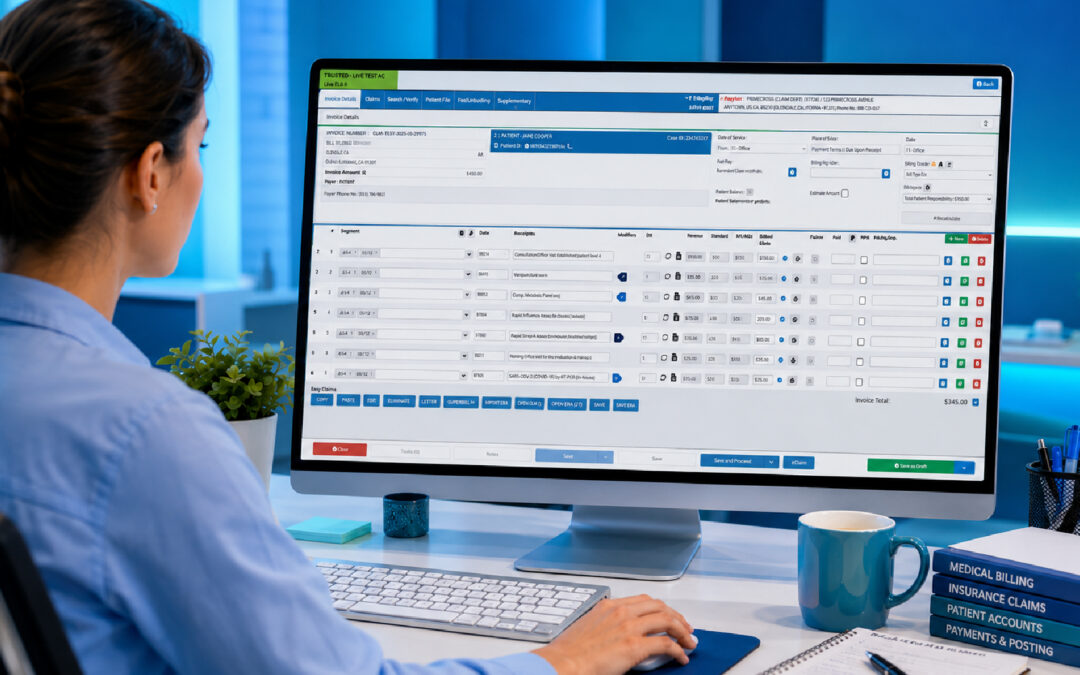
Medical Billing Software for Small Practices: How to Choose the Right Solution
Running a small healthcare practice means making the most of limited time and resources. Medical billing software for small practices can reduce administrative work, improve claims management and give practices greater visibility into their financial performance.
But choosing the right system is about more than finding software that can generate an invoice. The right solution should fit the way your practice operates, support your insurance and billing workflows, and make it easier to get paid accurately and on time.
Why medical billing matters for small practices
Billing is one of the areas where small practices can feel the pressure of limited resources most quickly.
A larger healthcare organization may have dedicated teams handling claims, accounts receivable, coding and payment follow-ups. A small practice may have one receptionist or administrator managing appointments, answering phones, assisting patients, processing claims and dealing with outstanding balances.
Sometimes the practitioner ends up handling part of the administrative workload themselves.
That makes inefficient billing particularly expensive.
A billing error can mean more than correcting a number. It may result in a rejected claim, additional administrative work, delayed reimbursement or hours spent following up with an insurance company or patient.
For a small practice, those problems can quickly add up.
Good medical billing software should therefore do more than produce bills. It should reduce the amount of manual work required to manage the billing cycle.
What does medical billing software actually do?
Medical billing software helps healthcare practices manage the financial side of patient care.
Depending on the platform, this can include:
- Creating patient accounts
- Generating patient statements
- Submitting electronic insurance claims
- Checking insurance eligibility
- Tracking claim status
- Identifying rejected or denied claims
- Managing patient payments
- Recording outstanding balances
- Supporting medical coding workflows
- Generating financial reports
- Managing billing-related communications
- Tracking accounts receivable
The most useful systems go further by connecting billing with clinical and administrative information.
For example, when an appointment is completed, the information required for billing should already be available rather than requiring staff to enter the same information into another system.
That is where integrated practice management software can make a significant difference.
What should small practices look for in medical billing software?
Not every practice needs the most complicated billing platform available.
In fact, complexity can become a disadvantage if your team spends more time learning the software than using it.
Instead, focus on the features that solve the problems your practice experiences every day.
1. Insurance eligibility and payer support
Insurance plays a central role in healthcare billing in the United States.
Before a patient’s appointment, practices may need to confirm whether their insurance is active, whether the provider is in-network and what portion of the cost the patient may be responsible for.
A good billing system should help staff manage insurance information and, where supported, verify eligibility electronically.
Before purchasing, ask:
- Which insurance payers are supported?
- Can eligibility be verified electronically?
- Can insurance information be stored securely?
- How are claims submitted?
- Can claim responses be tracked?
- How are rejected claims displayed?
- Can corrections be made easily?
- Can staff see relevant patient responsibility information?
These questions are more important than simply asking whether the software has a “billing” feature.
2. Accurate medical coding
Medical coding is a fundamental part of healthcare billing.
US healthcare practices commonly work with coding systems such as ICD-10-CM, CPT and HCPCS, depending on the services they provide and the payer requirements involved.
Incorrect or incomplete coding can contribute to claim rejections, denials and payment delays.
Good software should make accurate billing easier rather than relying entirely on staff to remember every detail manually.
Useful functionality may include:
- Searchable codes
- Code selection tools
- CPT and HCPCS support
- ICD-10-CM support
- Validation checks
- Patient information linked to the claim
- Practitioner information automatically populated
- Support for applicable coding updates
The objective isn’t to remove professional responsibility from the practitioner or medical coder.
It is to reduce avoidable administrative mistakes.
3. Automated electronic claim submission
Manual claim processing takes time.
Staff may need to gather patient information, enter services, check insurance details, create the claim and submit it through the appropriate channel.
A well-designed system can automate much of this workflow.
Many practices also use electronic claims clearinghouses to route claims between healthcare providers and insurance payers.
The more information that is already stored in the patient record, the less information staff need to enter repeatedly.
This creates an important principle when comparing systems:
Enter information once, then use it throughout the workflow.
When billing is integrated with appointments and patient records, administrative staff don’t have to constantly copy information from one application into another.
4. Claim tracking and denial management
Submitting a claim is only the beginning.
A practice also needs to know what happened afterwards.
Was the claim accepted?
Was it rejected?
Was it denied?
Does something need to be corrected?
Is payment still outstanding?
Without clear visibility, rejected or unpaid claims can sit unnoticed.
For a small practice, this is particularly important because even relatively small payment delays can affect cash flow.
Look for software that provides a clear view of:
- Submitted claims
- Accepted claims
- Rejected claims
- Denied claims
- Corrected claims
- Outstanding claims
- Payments received
- Accounts receivable
The easier it is to identify a problem, the sooner your team can address it.
5. Patient billing and payment management
Not every healthcare bill is paid entirely by an insurance company.
Patients may be responsible for:
- Copayments
- Coinsurance
- Deductibles
- Non-covered services
- Uninsured services
- Outstanding balances
Your software should make these amounts easy to understand and manage.
Patients should receive clear invoices or statements showing what they owe and, where applicable, what their insurance has already paid.
Some platforms can also support online patient payments, which can make it easier for patients to settle balances without having to call the practice or pay in person.
Good patient communication can reduce difficult conversations at the front desk.
Instead of asking a patient to explain an unclear balance, staff can provide a clear breakdown of the account.
6. Integration with patient records
This is one of the most important features to consider.
Imagine a patient arrives for an appointment.
Their demographic information is already stored.
Their insurance details are available.
The consultation is recorded in the patient record.
The services provided are documented.
The relevant billing information can then flow into the financial workflow.
That’s considerably more efficient than maintaining completely separate systems for clinical records and billing.
Integration reduces duplication.
It can also create a more complete picture of the patient and the practice.
When evaluating software, ask whether billing is genuinely integrated with the electronic health record (EHR) or practice management system, or whether the systems simply exchange information through occasional imports and exports.
There’s a meaningful difference.
7. Simple financial reporting
Small practices don’t necessarily need hundreds of financial reports.
They do need to know what’s happening.
Useful reporting might include:
- Revenue
- Outstanding patient balances
- Claim status
- Denied claims
- Payments received
- Practitioner billing
- Monthly collections
- Accounts receivable
- Days in accounts receivable
- Payer performance
The best reporting system is one that answers practical questions quickly.
How much is outstanding?
Which claims need attention?
How much was collected this month?
Are rejected or denied claims increasing?
Which payers are taking the longest to reimburse the practice?
If answering these questions requires exporting data into spreadsheets every week, the software may not be doing enough of the work for you.
8. Automation that saves your team time
Automation is particularly valuable in a small practice because there are fewer people available to perform repetitive administrative tasks.
Depending on the platform, automation can help with:
- Electronic claim submission
- Insurance eligibility checks
- Appointment reminders
- Patient communications
- Statement generation
- Payment notifications
- Claim follow-ups
- Recalls
- Accounts receivable workflows
The important thing is not how many automation features appear on the software provider’s website.
The important question is:
How much work does the practice no longer have to do manually?
That is the real measure of automation.
9. Transparent pricing
Price deserves careful attention when choosing medical billing software.
The cheapest monthly subscription isn’t necessarily the cheapest solution.
You should consider the total cost of billing.
For example, a practice might use an outsourced medical billing service that charges a percentage of collections. Another practice might employ administrative staff and pay separately for software. A third might use billing software and manage claims internally.
Each model has different costs.
An outsourced billing service can provide convenience and expertise, but the cost may increase as the practice’s revenue grows.
Software may provide more direct control, but the practice still needs staff capable of managing the billing process.
Before committing to software, calculate:
Software cost + transaction fees + staff time + implementation costs = your actual billing cost.
Then compare that with your current approach.
10. Easy enough for a small team
Powerful software is not necessarily good software.
If your front-desk staff need extensive training simply to submit a claim, the system may create a new administrative problem.
Small practices should prioritise:
- Simple navigation
- Clear dashboards
- Minimal duplicate data entry
- Straightforward claim workflows
- Accessible reports
- Reliable support
- Easy onboarding
Your team should be able to understand the basic workflow without constantly referring to a manual.
A useful test is to ask a staff member who wasn’t involved in the software demonstration to perform several common tasks.
If they struggle, pay attention.
Medical billing software can improve cash flow, but only if the workflow works
It is tempting to think of billing software as simply a financial tool.
It is actually a workflow tool.
A claim begins with what happens during a patient encounter.
If the patient’s insurance information is incorrect, the claim may be affected.
If the clinical documentation doesn’t support the billed service, problems can arise.
If the claim is submitted incorrectly, payment may be delayed.
If a denial isn’t noticed, the problem can remain unresolved.
This means billing cannot be completely separated from clinical administration.
The quality of the billing process depends on the information entering it.
That’s why integrated software can be so valuable for small practices.
Billing software versus an outsourced billing service
For some practices, outsourcing billing remains attractive.
An outsourced medical billing service can take responsibility for submitting claims and managing parts of the revenue cycle.
However, outsourcing means giving up some direct control and paying for that service.
Software gives practices another option: manage billing internally with technology doing much of the repetitive work.
The right choice depends on factors such as:
- Practice size
- Claim volume
- Staff capacity
- Billing complexity
- Desired level of control
- Current collection performance
- Software costs
There isn’t one answer that works for every practice.
The important thing is to calculate the numbers for your own practice rather than assuming that outsourcing or software is automatically cheaper.
Questions to ask before buying medical billing software
Before signing a contract, ask the provider some practical questions.
Billing
- Which insurers and payers are supported?
- Can eligibility be verified electronically?
- Can I track claim statuses?
- How are rejected or denied claims handled?
- Can I submit corrected claims?
- Can the system manage patient balances?
Coding
- Does the system support ICD-10-CM?
- Does it support CPT and HCPCS?
- How are billing codes maintained?
- Are coding updates included?
- Can the system help identify potential coding errors?
Integration
- Is billing connected to the EHR?
- Does appointment information flow into billing?
- Is duplicate data entry required?
- Can clinical and financial information be accessed from one system?
- Does the platform integrate with other healthcare software?
Cost
- Is pricing monthly, per claim or percentage-based?
- Are there transaction fees?
- Are there setup fees?
- Are additional users charged separately?
- Is there a contract?
- What happens if the practice grows?
Data and security
- Who owns the practice data?
- Can data be exported?
- How frequently is information backed up?
- How is patient information protected?
- What security and compliance standards does the vendor follow?
- Does the vendor support HIPAA-related requirements?
Support
- What happens when a claim fails?
- How quickly can support respond?
- Is training included?
- Is there a knowledge base or help center?
These questions can reveal more than a polished software demonstration.
Common mistakes small practices make when choosing billing software
Choosing based only on price
A cheap system that requires hours of manual work every week isn’t necessarily cheap.
Consider the value of staff time.
Choosing a system that isn’t integrated
Having one system for appointments, another for patient records and another for billing can create unnecessary duplication.
Ignoring claim follow-up
Claim submission is only one part of revenue collection.
Your practice needs visibility after submission.
Overlooking data migration
If you’re changing systems, ask what happens to your historical patient and financial information.
A migration problem can become a clinical and administrative problem later.
Buying more software than you need
Small practices shouldn’t pay for complicated features that nobody uses.
Choose software that solves your current problems while giving you room to grow.
How to calculate whether new billing software is worth it
Before purchasing, take a month of real practice data.
Write down:
- Number of claims submitted
- Total amount billed
- Total amount collected
- Number of rejected or denied claims
- Outstanding patient balances
- Hours spent on billing
- Current software costs
- Billing service or staff costs
- Time spent following up on claims
- Average days in accounts receivable
Then compare these numbers against the proposed system.
The goal isn’t simply to find the lowest software price.
The goal is to determine whether the system can reduce administrative effort, improve billing accuracy and help your practice collect what it is owed more efficiently.
The best medical billing software should work with your practice, not against it
Small practices don’t need more administrative complexity.
They need systems that make the existing workflow simpler.
The right medical billing software for small practices should help connect patient information, clinical documentation, claims, payments and reporting while reducing unnecessary manual work.
It should support the insurance, coding and billing requirements relevant to the US healthcare system, provide visibility over claims and outstanding accounts, and give your team the tools to identify problems before they become expensive.
Most importantly, don’t choose software simply because the feature list looks impressive.
Ask what happens during a normal day in your practice.
How many times does your team enter the same information?
How quickly can you identify a rejected or denied claim?
How much time is spent chasing payments?
Can you see your financial position without opening multiple systems?
Those answers will tell you far more about whether a billing platform is right for your practice than a sales demonstration ever will.
Frequently Asked Questions
What is medical billing software?
Medical billing software is a digital system that helps healthcare practices manage claims, payments, patient accounts and financial administration. More advanced platforms integrate billing with EHRs and other practice-management functions.
Is medical billing software suitable for a small practice?
Yes. Small practices can benefit significantly because they often have fewer administrative resources. Automating repetitive billing tasks can reduce workload and help staff focus on patients and other practice operations.
What should medical billing software include?
A suitable system should support the insurance, billing and coding requirements relevant to the US healthcare market. This may include insurance eligibility verification, electronic claims, ICD-10-CM, CPT and HCPCS support, denial management and patient payment workflows.
Practices should confirm exactly which payers, coding systems and claim processes are supported before purchasing.
Is medical billing software better than using an outsourced billing service?
Not necessarily. The best option depends on the practice. An outsourced billing service provides additional administrative support, while software allows the practice to retain more control and handle billing internally.
Compare the total cost, workload, collection performance and level of control before deciding.
Can medical billing software reduce rejected or denied claims?
It can help reduce avoidable errors by improving data accuracy, supporting coding workflows, checking eligibility and providing claim-status information. However, no software can guarantee that every claim will be accepted or paid.
How much does medical billing software cost?
Pricing varies considerably. Some providers charge monthly subscriptions, some charge per claim, while outsourced billing services may charge a percentage of collections.
Compare the total cost against your claim volume, staff time and current billing expenses rather than looking at the headline price alone.
Making Billing Easier for Your Practice
For a small healthcare practice, billing shouldn’t become a second full-time job.
The right software can take repetitive administrative tasks out of the hands of your team, improve visibility over claims and payments, and create a more connected workflow between the patient encounter and the financial side of the practice.
But the best solution isn’t necessarily the one with the longest feature list or the lowest advertised price.
Choose the system that makes your practice easier to run.
Look for reliable insurance and payer support, accurate coding workflows, electronic claim submission, denial management, transparent pricing, useful reporting and integration with your patient records.
When those pieces work together, medical billing becomes less of a daily administrative burden, and more of a streamlined part of the practice workflow.
Talk to our South African team and book your free GoodX demo.
Disclaimer: This article is provided for general informational and educational purposes only. While GoodX Software takes reasonable care to ensure that the information is accurate and current at the time of publication, laws, regulations, industry standards, healthcare policies and technology may change. The content should not be regarded as medical, legal, financial or other professional advice. Readers should verify information relevant to their circumstances and consult an appropriately qualified professional where necessary. GoodX Software accepts no responsibility for decisions made or actions taken solely on the basis of this content.